
How to Convert Shekels to Dollars in Interactive Brokers (IBKR)
Hey, please read the financial disclaimer below before reading this.*
So, you’ve successfully transferred your Shekels from your Israeli bank account to Interactive Brokers. [If you haven’t done this yet, take a look at my other article: How to Transfer Shekels into Interactive Brokers. ] You log in, you see the money sitting there, and you rush to buy the S&P 500 (or whatever stock you’re eyeing).
But when you click “Buy,” nothing happens. Or worse, it tells you that you don’t have enough cash.
Why? Because your money is in Shekels (ILS), but the stock you are trying to buy is priced in US Dollars (USD).
Before you can invest, you need to swap your currency. Here is how to do it, and why doing it on IBKR is actually a huge win for your wallet.
The Secret Perk: Cheap Exchange Rates
If you have ever travelled abroad, you know that the currency exchange booth at the airport rips you off. They claim “Zero Commission,” but they give you a terrible exchange rate. Israeli banks do the same thing; they usually take a “spread” (a difference between the real rate and the rate they give you) which can cost you quite a bit of money.
Interactive Brokers is different.
They give you the “real” market rate (the interbank rate) that the big banks trade with. Or pretty much as close as you’ll get to it. On top of that, they charge a tiny commission (usually around $2 or a very small percentage).
Compared to converting the money at your local bank before transferring it, doing the conversion inside IBKR usually saves you a significant amount of money.
How to Convert (The Easy Ways)
Depending on whether you are using the mobile app or the desktop website, the interface changes slightly, but there are two foolproof ways to find the conversion screen:
Method 1: The Direct Shortcut (Easiest)
-
Go to your Portfolio view (where you see your balances).
-
Find the line that lists your ILS (Israeli Shekel) balance.
-
Simply click on the currency itself.
-
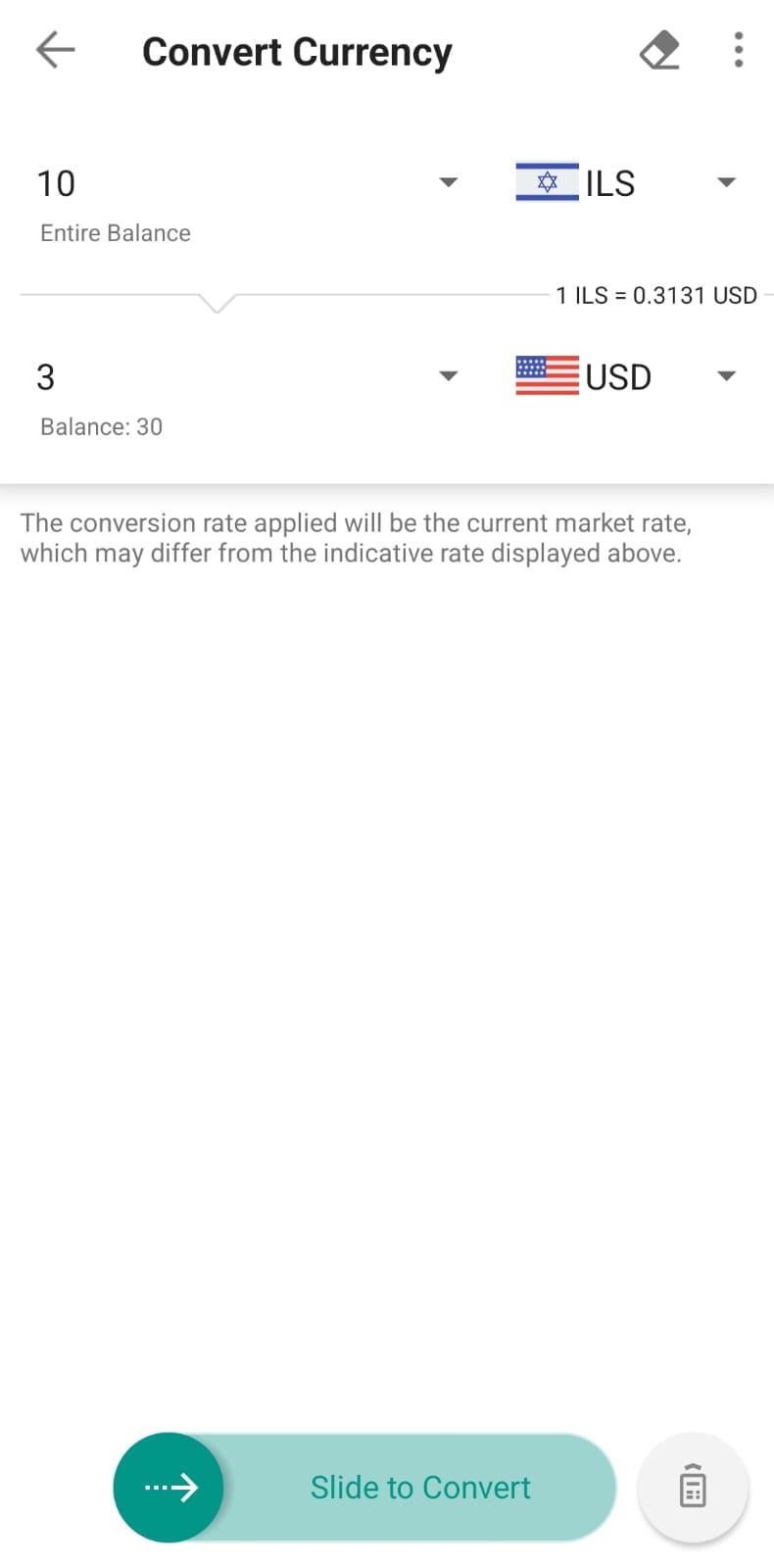
This should automatically pop up a button or take you to a screen that says “Convert Currency.”
Method 2: The Menu
-
Open the main menu.
-
Look for a button that says “Convert” (sometimes located under “Trade” or “Transfer & Pay”).
-
Click it.
The Conversion Steps
Once you are on the conversion screen:
-
Select the “From” Currency: Choose ILS (Israeli Shekel).
-
Select the “To” Currency: Choose USD (US Dollar).
-
Enter the Amount: Type in how many Shekels you want to swap.
-
Submit: Review the rate and click submit.
Important Note: The Waiting Game
Once you hit submit, you will see your balance update to USD almost immediately. However, you might not be able to trade with it instantly.
There is often a “settlement period” for currency. This basically means the backend systems are finalizing the swap.
-
The Delay: This can vary between a couple of hours to a day or so (based on what day and time you are trying to convert the currency).
-
The Advice: If you convert the money and try to buy a stock immediately, and it says “insufficient settled cash,” don’t panic. Just wait a few hours or try again the next day.
*I am not a financial advisor or licensed professional. I am just a normal guy sharing my personal experience and opinions for entertainment and informational purposes. This should not be read as financial advice. If you want actual financial advice, please go to a licensed, registered service provider. I highly recommend speaking to Blue and White Finance (I’m not affiliated with them at all, they are just excellent and will be able to put you on the right track.)